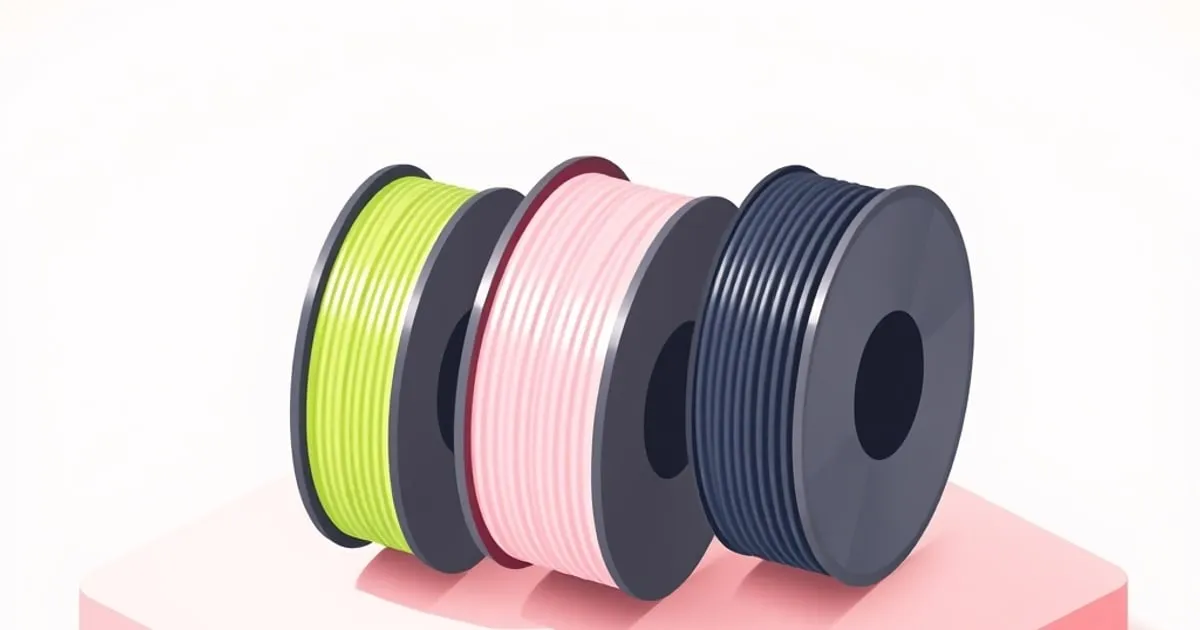
The short answer to what are good filaments to start with is three spools, bought in this order: plain PLA, then PETG once PLA prints cleanly, then a 95A TPU if the printer has a direct-drive extruder. Matte PLA is the one PLA variant worth adding early. Leave ABS, ASA, nylon, glow-in-the-dark and carbon-, wood- or metal-filled filaments for later.
The order matters more than the brand. Each spool adds one new problem: PLA teaches calibration, PETG teaches build-surface and cooling control, TPU teaches extruder control. Buy them out of order and a failed print has three suspects instead of one. Diameter, net weight and spool details are covered in what to buy for a first filament purchase.
Starting settings for each starter filament
| Plain PLA | Matte PLA | PETG | TPU (flexible) | |
|---|---|---|---|---|
| Nozzle | 215 °C first layer, 210 °C after | 190–230 °C | 230 °C first layer, 240 °C after (Prusa); 240–260 °C (Polymaker PETG) | 230–245 °C |
| Bed | 60 °C (heated bed optional) | 25–60 °C | 85 °C first layer, 90 °C after (Prusa); 60–70 °C (Polymaker PETG) | 60–75 °C, higher for large parts |
| Part-cooling fan | On | On | Off, or 50% after the first layers (Prusa); 20–60% (Polymaker PETG) | Per spool label |
| Build surface | Satin or smooth PEI, degreased with IPA, no glue | PC or textured PEI | Textured or satin; avoid smooth PEI | Per spool label |
| Hardware check | None | Brass nozzle fine for occasional use | All-metal hotend to go above 240 °C | Direct drive, or a filament-path bypass |
Figures come from Prusa’s PLA, PETG and flexible materials pages and from Polymaker’s Panchroma Matte and Polymaker PETG pages, all for a 0.4 mm nozzle. The two PETG bed figures differ by 15 °C or more because they describe different formulations. The spool label beats any table, this one included: treat these numbers as the bracket for a temperature tower, not the answer.
Why does plain PLA come first?
Plain PLA comes first because it is the most forgiving material on the shelf and the cleanest reference for calibrating a printer. Prusa’s documentation calls it easy to print and suitable for beginners, with minimal warping and no need for a heated bed, though a 60 °C bed improves results. Fewer variables means faster diagnosis.
Use the first spool as a calibration reference. The OrcaSlicer calibration guide sets the order: temperature first, because it changes the filament’s viscosity, then max volumetric speed, pressure advance, flow, and retraction. The guide puts retraction after flow and pressure advance, and for good reason: both change how much material sits in the nozzle when a travel move starts. Those values are stored per filament profile, so one calibrated plain PLA becomes the baseline every later spool is compared against.
Silk and multicolour PLAs print fine but make a poor reference. If a Benchy comes off the plate with a rough hull, you want to know whether the printer or the filament caused it, and a plain single-colour PLA takes the filament out of the question.
PLA’s limits are why a second spool exists. Prusa notes it softens above 60 °C, has low UV stability, and is brittle with poor impact resistance. A drawer organiser is fine; a dashboard bracket or a part that lives outdoors is not. Before paying extra for a PLA+ grade, read what the plus actually buys.
Is matte PLA a good filament to start with?
Yes. Matte PLA prints on ordinary PLA settings and is the one effect grade worth buying early. Polymaker’s Panchroma Matte, sold as PolyTerra PLA before a rename, lists a 190–230 °C nozzle, a 25–60 °C bed, fan on, and up to 300 mm/s with a 24 mm³/s volumetric ceiling on a 0.4 mm nozzle.
The volumetric figure is the real limit. Treating a 0.20 mm by 0.42 mm line as a rectangle, a slight overestimate, each millimetre of travel needs 0.084 mm³, so 24 mm³/s caps walls near 285 mm/s; 0.28 mm layers drop that to about 204 mm/s. Exceed it and the resulting under-extrusion looks like a filament fault when it is arithmetic.
Polymaker also describes it as slightly more abrasive than regular PLA: fine occasionally on brass, but worth a hardened nozzle if matte becomes your everyday material. Its practical appeal is finish. A matte surface scatters light, so layer lines show less in product photos.
When is your printer ready for PETG?
Your printer is ready for PETG when PLA passes its calibration prints, the bed has a textured or satin sheet rather than smooth PEI, and the hotend can run at 240 °C or above. That last check depends on how the hotend is built, and starter guides most often skip it.
Build surface. Prusa strongly recommends a powder-coated textured or satin sheet for PETG and warns that printing it on smooth PEI might damage the sheet. If smooth PEI is all you own, Prusa’s fallback is glue stick as a release layer.
Hotend. Polymaker’s PETG page states that printing PETG above 240 °C needs an all-metal hotend, and its temperature guidance adds that any printing above 260 °C requires one. Prusa recommends 240 °C after the first layer, so a PTFE-lined hotend leaves no headroom for a hotter tower segment if layer adhesion is weak.
Cooling. Prusa suggests the part fan off for maximum toughness, or half power after the first layers; Polymaker’s current PETG lists 20–60%. Carrying a 100% PLA fan setting over is a common reason PETG layers peel apart by hand.
Stringing. Prusa lists stringing among PETG’s weaknesses, and Polymaker suggests 1–3 mm of retraction at 20–40 mm/s. Treat those as a starting bracket, since Bowden machines usually need more length, and re-run the retraction test rather than copying the PLA value. For the side-by-side with ABS, see PLA vs PETG vs ABS.
Is TPU a good filament to start with?
Not as a first spool. Prusa recommends flexible filament for experienced makers only, citing clogging, poor bridging, tangling and stringing. As a third spool on a direct-drive printer it is reasonable if you pick a stiff grade: Prusa notes TPU usually sits between 60A and 90A Shore hardness, and the softer it is, the harder it prints.
So the starter pick is the stiffest common grade, usually sold as 95A. Prusa’s settings are a 230–245 °C nozzle, a 60–75 °C bed and around 20 mm/s, with 30–40 mm/s as the practical ceiling. Start from your slicer’s TPU profile rather than editing your PLA one.
The extruder matters more than the settings. Prusa recommends a printable flex-filament bypass accessory for its XL because of that printer’s long filament path, and a direct-drive extruder with a short path from drive gears to hotend is what makes TPU routine instead of a fight.
Prusa also lists flexible filament as hygroscopic. A TPU that pops or strings far worse than last week is probably wet, not mistuned: the wet filament symptom checklist separates the two, and drying temperatures by material covers the fix.
Which filaments should you skip at the start?
Skip anything abrasive, anything that needs an enclosure, and anything that needs a hotter hotend than you have. In practice that means glow-in-the-dark, carbon-fibre-filled and metal-filled filaments, wood-filled PLA on a 0.4 mm nozzle, ABS, ASA and nylon. None is impossible; each adds a hardware requirement a new printer may not meet.
Abrasive fills. Prusa’s nozzle documentation lists glow-in-the-dark filaments, filaments with carbon compounds, and metal-filled grades such as Bronzefill and Brassfill as wearing a standard brass nozzle very quickly. A hardened steel nozzle handles them, though Prusa notes the hotend may need about 5 °C more.
Wood and particle fills. Prusa’s composites page recommends at least a 0.6 mm nozzle and 0.2 mm layers to limit clogging, and hardened steel for metal-filled grades.
ABS and ASA. Prusa’s ASA guidance calls for a bed of at least 100 °C, an enclosure to hold the ambient temperature up (a PrusaSlicer draft shield is its fallback), and a well-ventilated room because of the fumes, which makes an open-frame printer in a living space a poor fit. ABS vs ASA covers both once an enclosure is on the bench.
Nylon. Polymaker’s temperature guidance lists nylon at 240–300 °C, well into all-metal hotend territory.
How do you know a spool is dialled in?
A spool is dialled in when each calibration print gives a clear answer and a real part prints twice in a row without intervention. Run the tests in OrcaSlicer’s order, save the results to a filament profile named for that exact product, and check these criteria before moving to the next material.
- Temperature tower: pick a segment with clean bridges that resists snapping by hand. Polymaker ties under-temperature to poor layer adhesion and skipped extrusion, and over-temperature to stringing, oozing and clogs.
- Max volumetric speed: set the profile below where the surface breaks up, not at it.
- Pressure advance: sharp corners, no bulge at the corner, no gap where a line starts.
- Flow: top surfaces closed and flat, with no ridges between lines.
- Retraction: the shortest length that clears strings on the tower.
- Functional check: a 20 mm XYZ cube measured with calipers, then a 3DBenchy. If X and Y disagree with each other, look at belts and steps per mm, not the filament.
When a profile that worked starts failing on a new spool, eliminate before blaming: dry it, re-run the temperature tower, then flow, then compare against a second spool of the same product. Bad filament exists, but it should be the last conclusion, not the first.
FAQ
can i print petg with a ptfe lined hotend
Yes, but only at the lower end of PETG’s temperature window. Polymaker states that printing PETG above 240 °C needs an all-metal hotend, and Prusa recommends 240 °C after the first layer. A PTFE-lined hotend leaves no room to go hotter if layer adhesion is weak, so check your hotend specification before buying PETG.
do i need a hardened steel nozzle for beginner filament
No. Plain PLA, PETG and TPU all print on a standard brass nozzle. A hardened nozzle becomes necessary for glow-in-the-dark, carbon-fibre and metal-filled filaments, which Prusa lists as abrasive enough to wear brass very quickly. Matte PLA sits in between: Polymaker calls it slightly more abrasive than regular PLA but fine occasionally.
how many spools of filament should a beginner buy
One spool of plain PLA, in one colour, is enough to start. Calibration prints and the first batch of real parts use a small fraction of a 1 kg spool, and buying several materials at once mostly buys spools that absorb moisture while waiting their turn. Add PETG once the PLA calibration results are recorded.
does filament brand matter when starting out
Less than matching your settings to the spool you actually own. Brands publish different windows for the same material family: Prusa recommends 210–215 °C for PLA, Polymaker lists 190–230 °C for its matte PLA, and Prusa’s 85–90 °C PETG bed sits well above the 60–70 °C Polymaker gives for its current PETG. Pick one brand and calibrate it.


